

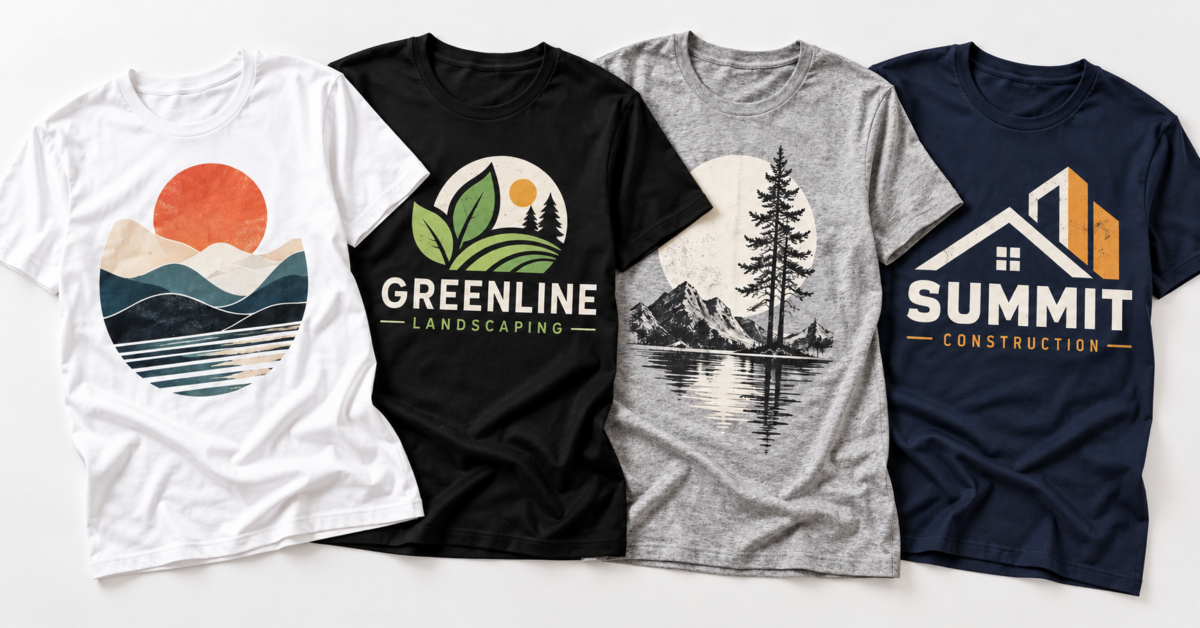
How to Order Custom T-Shirts with Your Logo: A Complete Guide
Whether you need shirts for your business crew, a sports team, a family reunion, a nonprofit event, or just want to put your brand on something people will actually wear — custom t-shirts are one of the most versatile and cost-effective branded items you can order. The process is easier than most people expect, especially when you know what to prepare before you start.
This guide walks you through everything: how to prepare your artwork, how to choose the right shirt style, what to expect from the ordering process, and how to make sure what you get back looks exactly the way you envisioned.
Who Orders Custom T-Shirts?
Just about everyone. Our custom t-shirts are ordered by businesses, contractors, restaurants, gyms, schools, sports leagues, event organizers, churches, nonprofits, family groups, and individuals. A few of the most common use cases:
- Businesses and contractors — Branded work shirts for employees create a professional, unified look and put your company name in front of customers on every job
- Restaurants and hospitality — Staff shirts that identify your team and reinforce your brand at every customer interaction
- Sports teams and leagues — Matching team shirts for youth, adult, and recreational leagues
- Events and fundraisers — 5K runs, charity events, school spirit days, and community gatherings
- Family reunions and group trips — Cruises, vacations, holidays, and matching group shirts
- Gyms and fitness studios — Branded performance shirts for staff and members
- Schools and youth programs — Field trip shirts, club shirts, camp shirts, and graduation
Step 1: Prepare Your Artwork
This is the most important step — and the one most people underestimate. The quality of your printed shirt depends heavily on the quality of the file you submit.
What File Format Works Best?
- PNG — Preferred for full-color designs and logos. Use a PNG with a transparent background so the shirt color shows through cleanly behind your design.
- PDF — Great for vector-based artwork that maintains crisp edges at any size.
- AI or EPS — Adobe Illustrator files are ideal when you have them. Vector files scale perfectly without any loss of quality.
- JPG — Works for photographs or full-color artwork, but avoid low-resolution JPGs.
What Resolution Do You Need?
Your file should be at least 300 DPI (dots per inch) at the actual print size. A logo that looks sharp on your phone screen at 72 DPI will print blurry or pixelated on a shirt. If you’re unsure about your file’s resolution, upload it and our team will advise before your order goes to print.
What If You Don’t Have a Logo File?
No problem. If you don’t have a design ready, you can submit text-only information — your company name, phone number, website, or any text you want printed — and we can print your shirts with that text. You don’t need a graphic designer to get a clean, professional-looking result.
What If You Only Have a Low-Resolution Logo?
This is more common than you’d think. If your logo only exists as a small image pulled from a website or a blurry scan, it may not print cleanly. Options include having a designer recreate it as a vector file, or reaching out to us — we can often work with what you have and advise on the best path forward.
Step 2: Choose the Right Shirt Style
With 74 styles available, there’s a perfect fit for every use case and budget. Here’s how to narrow it down:
By Use Case
- Everyday work shirts — Standard cotton tees, Gildan 100% cotton styles, and CornerStone workwear pocket tees are durable, comfortable, and affordable for daily wear. Starting at $10.95.
- Customer-facing or professional settings — Custom printed polo shirts give a more polished look for retail staff, service technicians, and client-facing environments. Starting at $14.95.
- Hot weather and outdoor work — Moisture-wicking polyester shirts and performance tees (A4 Cooling Performance, Sport-Tek PosiCharge) keep crews comfortable in demanding outdoor conditions — critical in Florida and other warm-climate states.
- Premium branded apparel — Nike Dri-FIT and BELLA+CANVAS options are ideal when you want a higher-end look for client gifts, gym merchandise, or premium team gear.
- Heavy-duty workwear — Carhartt pocket tees and workwear shirts are built for demanding environments: construction, roofing, landscaping, and skilled trades.
- Events and one-time groups — Standard short-sleeve cotton tees at the lowest price point work great for reunions, fundraisers, and events where volume matters more than premium fabric.
By Who’s Wearing It
- Men’s styles — Short sleeve, long sleeve, sleeveless, polo, and tank tops from XS to 5XL
- Women’s styles — Fitted tees, V-necks, racerback tanks, ladies polos, and flowy styles from XS to 4XL
- Youth and kids — Kids tees, toddler tees, and infant sizes available in short and long sleeve
- Unisex styles — BELLA+CANVAS unisex tees work well for mixed groups who want one style that fits everyone
Standard vs. Full Color Printing
Many styles come in two versions — standard and full color:
- Standard (1-color) printing — Best for simple logos or text in a single ink color. Clean, classic look at a lower price point.
- Full color printing — Best for multi-color logos, photographs, gradients, or detailed artwork. Reproduces your design exactly as it appears digitally.
If your logo has multiple colors or any photographic elements, choose full color. If it’s a simple one-color design — a company name or basic icon — standard printing delivers a sharp, professional result for less.
Step 3: Decide on Print Placement
Where your design is printed affects the overall look significantly. The most common placements:
- Left chest — The classic, professional placement. Works well for logos, company names, and small designs. Standard for most business and work shirts.
- Full front — Maximum visual impact. Best for event shirts, team designs, or bold graphics meant to be seen from a distance.
- Full back — Popular for teams, events, and designs with additional information like sponsor lists or phone numbers.
- Left chest + back — A common combination for work uniforms: logo on the chest, company name and website on the back.
Step 4: Pick Your Colors
Shirt color and ink color work together — think about both at the same time:
- Light shirts (white, light grey, light blue) — Work well with any ink color and show full-color designs with maximum vibrancy.
- Dark shirts (black, navy, charcoal) — Require lighter ink colors to show up. For full-color designs on dark shirts, a white underbase is used to make colors pop.
- Brand color matching — If your logo has specific Pantone, CMYK, or hex color values, provide them with your order for accurate color reproduction.
Step 5: Place Your Order
Once you’ve chosen your style and prepared your artwork, ordering is straightforward:
- Browse to your chosen style and select your size range
- Upload your design file directly through the product page
- Specify your placement (left chest, full front, back, etc.)
- Select your ink color for standard printing, or confirm full color
- Enter your quantities per size
Minimum quantity is just 1 on most styles — so you can order a single shirt or outfit a team of 200. Pricing scales down with volume, so larger orders deliver significantly better per-shirt cost.
What to Expect After You Order
Our team reviews your artwork before production begins. If there’s an issue with your file — resolution too low, format incompatible, or something that won’t print cleanly — we’ll reach out to resolve it before anything prints. You’ll receive a proof for approval so you can confirm placement, size, and the look of your design exactly as it will appear on the shirt before the full order runs.
Tips for Getting the Best Results
- Send the highest-resolution file you have — Even if you’re not certain it’s good enough, send it and let our team assess it.
- Use a transparent background PNG for your logo — This prevents a white box from appearing around your design on colored shirts.
- Order a sample first for large runs — For orders of 50+ shirts, consider a single sample shirt to confirm placement and print quality before committing to the full quantity.
- Provide your brand’s specific colors — If color accuracy matters, include your Pantone, CMYK, or hex color codes with your order.
- Size up for work environments — For crews wearing shirts over base layers or doing physical work, ordering one size up keeps everything comfortable through a full workday.
Ready to Get Started?
From basic cotton tees starting at $10.95 to premium Nike and Carhartt branded styles, we have a shirt for every purpose, every budget, and every crew size. Upload your logo and get started — no design experience required, no minimum quantity, and no surprises before production.
At Print It 4 Less, we make it easy to put your brand on quality apparel. Browse our full selection of custom t-shirts and polos, upload your design, and we’ll handle the rest.
Tags: custom, custom shirtCategorised in: Blog
This post was written by Print It 4 Less Team